Have you ever saved a beautiful digital planner, opened it on your iPad, and wondered where to begin? You have calendars, colorful stickers, endless templates, and dozens of productivity ideas—but somehow, staying organized still feels overwhelming.
Here is the truth: you do not need a planner with hundreds of pages to organize your life. You need the right pages.
The best digital planner helps you manage your schedule, prioritize your goals, build healthy habits, track your progress, and make time for yourself without turning productivity into another full-time job.
In 2026, digital planning is about creating a system that works with your lifestyle. Whether you love the feminine That Girl aesthetic, prefer a minimalist neutral design, or want a practical productivity dashboard, the right planner pages can help you bring more clarity and intention to your everyday routine.
Imagine opening your iPad each morning and knowing exactly what deserves your attention, which goals you are working toward, and how to make the most of your time.
That is what a thoughtfully designed digital planner can help you achieve.
In this guide, we will explore 10 essential digital planner pages every organized girl needs in 2026, explain how to use each page effectively, and show you how to create a personalized planning system that feels both beautiful and practical.
Whether you are a student, entrepreneur, working professional, or someone building a more intentional lifestyle, these pages will help you create a digital planner that supports the life you actually want to live.
What Is a Digital Planner, and Why Is It Useful in 2026?
A digital planner is an electronic planning system that allows you to organize your schedule, tasks, goals, habits, and personal information using a device such as an iPad, tablet, or computer.
Depending on the app and template, you can write directly on planner pages, type your tasks, annotate PDFs, navigate between sections, and customize your layouts.
Digital planners are particularly useful for people who want the flexibility of traditional paper planning with the convenience of digital tools.
For example, you might use a digital planner to manage university assignments, organize a business, plan weekly meals, track personal goals, or create a consistent self-care routine.
You can also personalize its appearance. Minimalist beige layouts, soft lavender accents, blush pink pages, and clean monochrome designs are all possible choices.
However, an attractive planner is only the beginning.
A useful digital planner should help you answer three important questions:
- What do I need to do?
- What matters most right now?
- How can I make consistent progress without overwhelming myself?
The following ten pages are designed around those questions.
1. Daily Planner Page: Your Personal Guide to a Focused Day
Your daily planner page is the foundation of your digital planning system.
It helps you turn a long list of responsibilities into a manageable plan, giving you a clear picture of what needs attention today.
Instead of waking up and immediately reacting to messages, deadlines, and distractions, you can begin by reviewing your priorities and deciding how to use your time.
What Should Your Daily Planner Page Include?
A practical daily layout should include:
- Today’s date.
- Three main priorities.
- A time-blocked schedule.
- A task checklist.
- Important reminders.
- A small notes section.
- An evening reflection.
The most important feature is your top-three-priorities section.
Choose three tasks that would make your day feel productive and meaningful. These might include finishing an assignment, completing a work project, preparing a product listing, or making progress toward a personal goal.
Smaller tasks can go on your general checklist, but your main priorities should remain visible.
How to Use Your Daily Planner Effectively
Begin each morning by reviewing your commitments and selecting realistic priorities.
Next, assign time blocks to tasks that require focused attention. Leave some flexibility for unexpected responsibilities, breaks, and changes in your schedule.
At the end of the day, review what you accomplished and move unfinished tasks to an appropriate future date.
Remember that your daily planner is not a measure of your worth. Some days will be more productive than others, and your planning system should adapt accordingly.
Best for: Students, busy professionals, entrepreneurs, and anyone who wants more structure in their everyday routine.
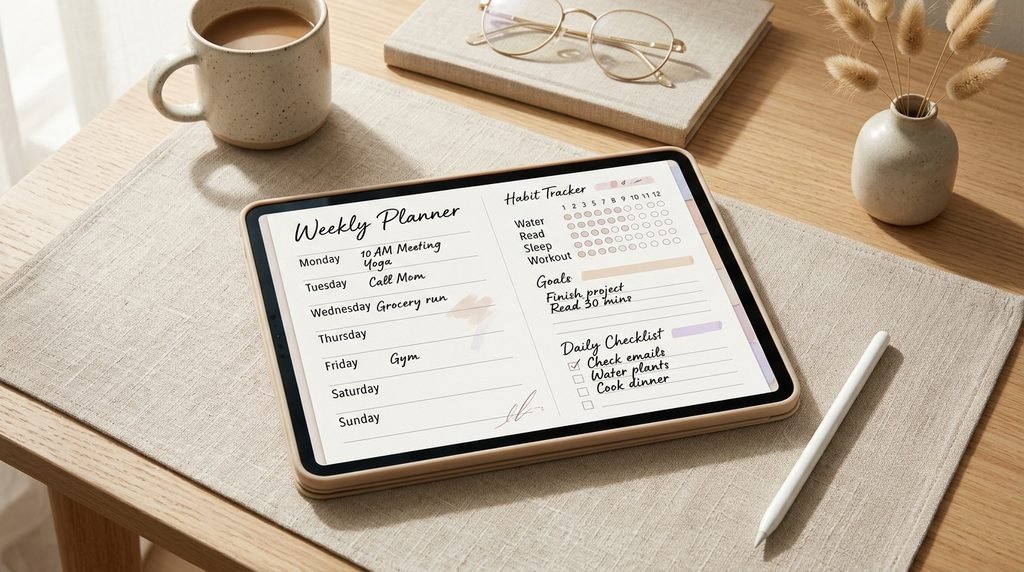
2. Weekly Planner Page: See Your Entire Week at a Glance
If your daily planner helps you manage today, your weekly planner helps you understand the bigger picture.
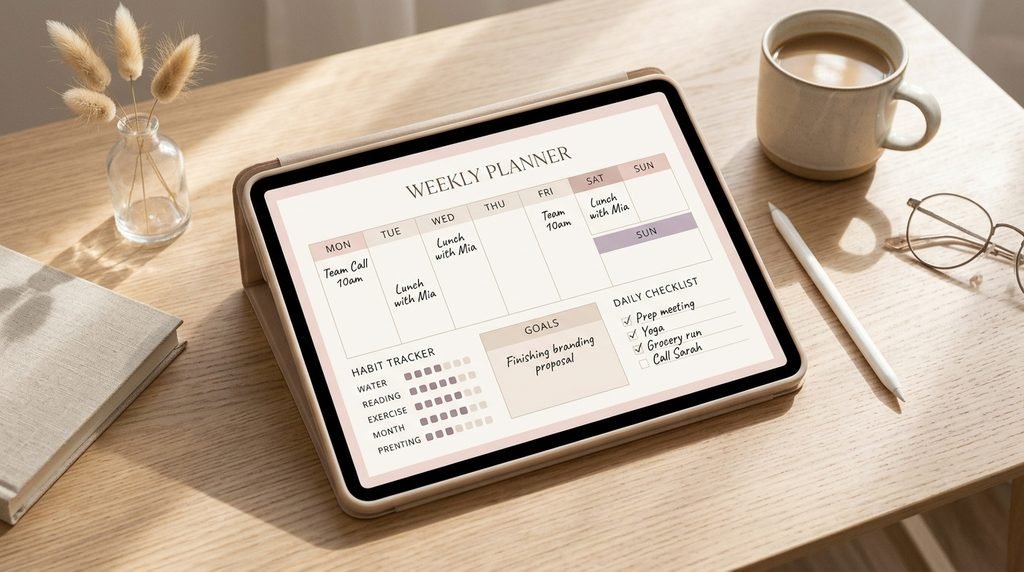
A weekly spread allows you to see appointments, deadlines, projects, personal activities, and available time in one place.
Without a weekly overview, it is easy to underestimate how much you have committed to doing.
Essential Features of a Weekly Planner
Your weekly page should include:
- Monday through Sunday.
- Appointments and fixed commitments.
- Weekly priorities.
- Tasks that must be completed.
- Personal activities and rest.
- A weekly review section.
You can use a horizontal layout with seven daily columns or a more flexible layout with a task list beside your weekly calendar.
Choose the format that makes information easiest for you to scan.
Try the Weekly Reset Method
At the beginning or end of each week, spend 15–20 minutes reviewing your schedule.
First, check upcoming appointments and deadlines. Then, identify your three most important weekly outcomes.
Divide larger projects into smaller actions and assign those actions to realistic days.
Finally, schedule time for personal activities rather than assuming you will fit them in whenever you are free.
For example, if you want to exercise three times during the week, identify when those sessions can realistically happen.
The purpose of weekly planning is to create a balanced schedule—not to make every hour look busy.
Best for: People managing multiple responsibilities, students with deadlines, and anyone who wants to reduce last-minute stress.
3. Monthly Calendar Page: Organize Important Dates and Deadlines
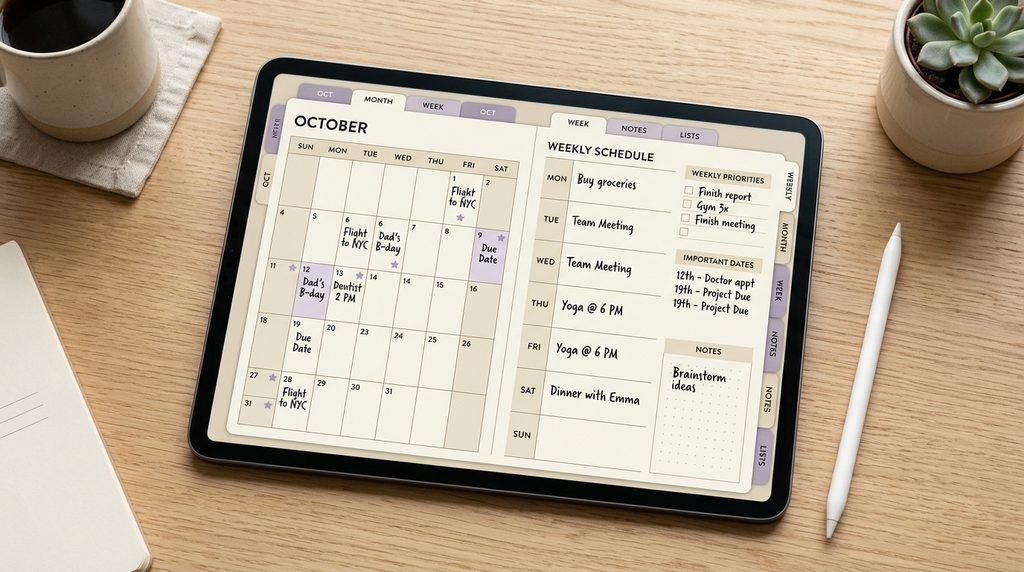
A monthly calendar gives you a clear overview of your upcoming commitments.
It is particularly useful for tracking birthdays, appointments, examinations, travel plans, project deadlines, special occasions, and recurring responsibilities.
While a daily page focuses on immediate actions, your monthly calendar helps you prepare for what is coming next.
What to Include on Your Monthly Calendar
Create a simple calendar grid with enough space to write important dates.
Add a small section for:
- Monthly goals.
- Major deadlines.
- Important events.
- Upcoming projects.
- Personal reminders.
Avoid filling every date with unnecessary information. The calendar should make important commitments easy to recognize.
How to Make Monthly Planning More Effective
At the beginning of each month, review the previous month and identify what needs to change.
Then, choose up to three meaningful goals for the new month.
For example, your goals might include completing a professional course, launching a project, improving your sleep routine, or saving a specific amount of money.
Break each goal into smaller actions that can fit into your weekly plans.
At the end of the month, reflect on what worked and what needs adjustment.
Best for: Anyone who wants to stay ahead of deadlines, prepare for important events, and connect everyday tasks with longer-term goals.
4. Goal-Setting Page: Turn Your Dreams Into Action
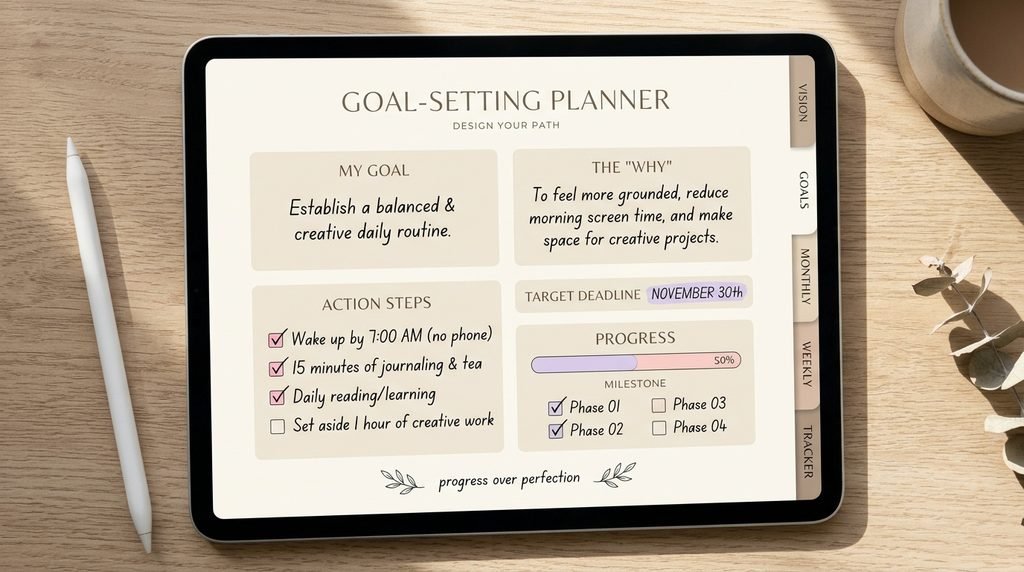
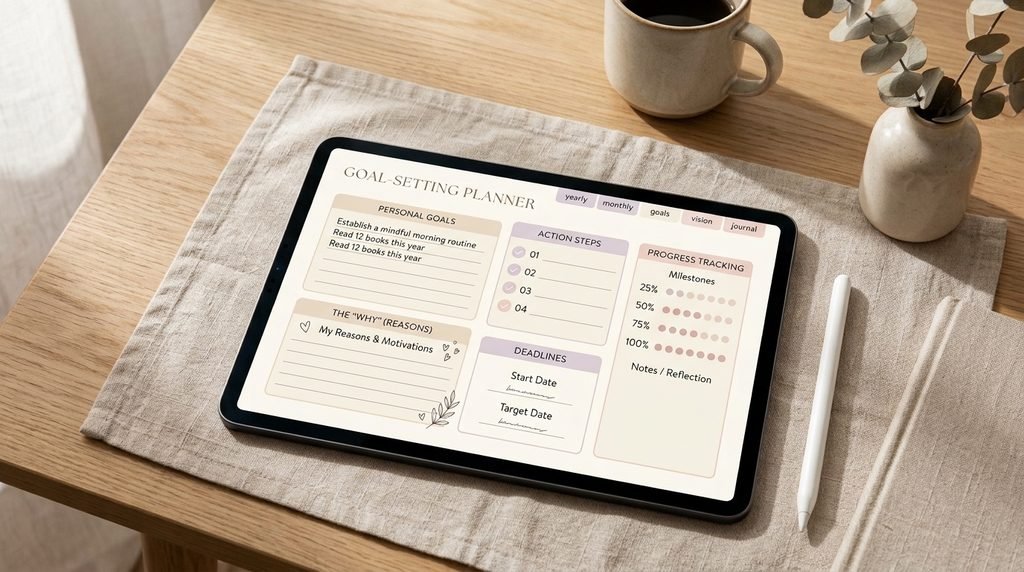
Every organized girl needs a place to record her ambitions, but writing down a goal is only the first step.
A useful goal-setting page helps you turn an idea into a realistic plan.
Instead of writing vague goals such as “be more successful” or “get my life together,” define what progress would actually look like.
What Should Your Goals Page Include?
Create a dedicated page with five sections:
- My goal: What do I want to accomplish?
- My why: Why does this matter to me?
- My deadline: When do I want to review or complete it?
- My action steps: What needs to happen first?
- My progress: What have I completed so far?
For example, imagine that your goal is to launch an online business.
Your action steps might include researching your audience, developing your offer, creating your website, publishing your first product, and reviewing customer feedback.
Each step becomes a manageable task that you can add to your weekly planner.
Use a Quarterly Goal Review
Every three months, revisit your goals.
Ask yourself whether they still reflect your priorities, what progress you have made, and which obstacles need attention.
You can adjust your approach without treating a change of direction as failure.
Your digital planner should help you make thoughtful decisions, not pressure you to pursue every ambition you have ever written down.
Best for: Personal development, academic goals, career growth, creative projects, and business planning.
5. Habit Tracker Page: Build Consistency One Day at a Time
A habit tracker helps you observe how consistently you practice routines that matter to you.
Instead of relying entirely on memory, you can record your actions and recognize patterns over time.
However, the goal is not to track every activity in your life. Start with a few habits that support your current priorities.
What Habits Can You Track?
Depending on your goals, you might track:
- Reading.
- Exercise or walking.
- Journaling.
- Daily planning.
- Practicing a new skill.
- Taking regular breaks.
- Following a consistent bedtime routine.
- Spending less time on distracting apps.
Choose three to five habits to begin with.
How to Design a Simple Habit Tracker
Create a table with your selected habits down the left side and the days of the month across the top.
Mark a checkbox whenever you complete a habit.
If you prefer a simpler approach, use a weekly tracker with seven columns.
You can also include a brief notes section where you record what helped or made a habit difficult.
How to Stay Consistent Without Feeling Overwhelmed
Start small.
If you want to read more, begin with five or ten minutes rather than committing to an unrealistic daily target.
If you want to exercise more consistently, choose a manageable starting routine.
Missing a day does not mean you have failed. Simply resume the habit and look for ways to make it easier to maintain.
A habit tracker is a tool for awareness, not a judgment of your character.
Best for: People building routines, working on personal goals, or trying to develop greater consistency.
6. To-Do List Page: Clear Your Mind and Organize Your Tasks
Sometimes, the biggest obstacle to productivity is not a lack of motivation. It is having too many unfinished tasks competing for your attention.
A dedicated to-do list page gives you a place to capture those tasks before organizing them into a realistic plan.
Create a To-Do List That Actually Works
Divide your tasks into a few simple categories:
High priority: Tasks with important deadlines or significant consequences.
Important but flexible: Tasks that matter but can be scheduled later.
Quick tasks: Small actions that can be completed without a large time commitment.
Waiting for: Tasks that depend on a response, approval, or action from someone else.
You do not need all four categories if they make your planner feel complicated. Start with a basic checklist and add categories only when useful.
Separate Capturing Tasks From Scheduling Tasks
Your general to-do list is a place to collect tasks. Your daily and weekly planners are where you decide when to complete them.
This distinction matters because a list of 30 tasks does not mean you have time to complete 30 tasks today.
Review your list regularly and choose only the actions that realistically fit your available time.
Delete tasks that are no longer relevant instead of carrying them forward indefinitely.
Best for: Anyone who frequently forgets tasks, feels overwhelmed by unfinished responsibilities, or wants a clearer approach to prioritization.
7. Self-Care Planner Page: Make Room for Yourself
An organized life is not only about completing tasks and meeting deadlines.
It also involves recognizing your personal needs and making space for rest, enjoyment, and activities that help you feel balanced.
A self-care planner page can remind you to treat your well-being as part of your routine rather than something you consider only when everything else is finished.
What to Include on Your Self-Care Page
Your page might include:
- Activities that help you relax.
- Personal routines you enjoy.
- Time for hobbies and creativity.
- Social activities and meaningful connections.
- Reflection prompts.
- A list of activities to try when you need a break.
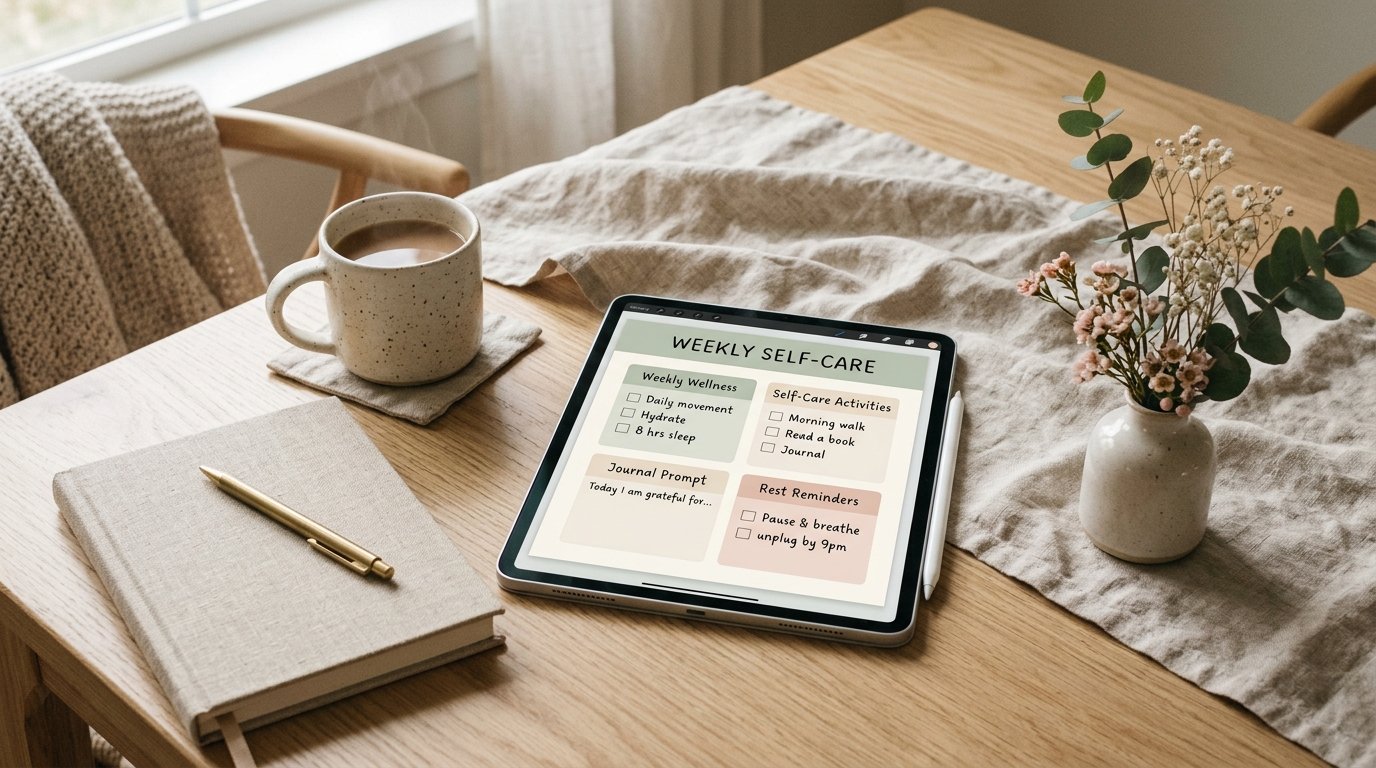
You can also create a simple weekly self-care plan.
For example, you might reserve time for reading, spending time outdoors, enjoying a hobby, or connecting with a friend.
Make Self-Care Realistic
Self-care does not need to be expensive, elaborate, or aesthetic to be valuable.
Sometimes it means taking a break, organizing your surroundings, saying no to an unnecessary commitment, or allowing yourself to rest.
Avoid turning self-care into another demanding checklist.
The purpose of this page is to help you make intentional space for yourself, not create another standard you feel obligated to meet.
Best for: Anyone who wants to balance responsibilities with rest, hobbies, and personal time.
8. Budget and Expense Tracker: Understand Where Your Money Goes
A budget tracker can help you become more aware of your spending and make more intentional financial decisions.
You do not need a complicated spreadsheet or an elaborate financial system to begin. A simple monthly overview can provide useful information about your income, expenses, and savings goals.
What Should Your Budget Page Include?
Consider including:
- Monthly income.
- Fixed expenses.
- Variable expenses.
- Savings goals.
- Upcoming payments.
- Monthly spending review.
Fixed expenses might include recurring bills, while variable expenses could include groceries, transportation, and personal purchases.
If you receive income from several sources, record each source separately so you can understand your overall financial picture.
How to Use Your Expense Tracker
Record your expenses regularly and review the totals at the end of the month.
Look for patterns rather than judging individual purchases.
For example, you might discover that several small subscriptions are adding up or that planning meals in advance helps you reduce unnecessary spending.
If you are saving for a specific goal, create a progress tracker that shows how much you have saved and how much remains.
Keep sensitive financial information secure and avoid storing passwords or full payment credentials in your planner.
Best for: Students managing allowances, professionals tracking expenses, entrepreneurs monitoring personal budgets, and anyone working toward a savings goal.
9. Notes and Brain-Dump Page: Give Your Thoughts a Place to Go
Your planner should not only tell you what to do. It should also give you somewhere to capture ideas before you forget them.
A brain-dump page is a simple space where you can write down thoughts, reminders, ideas, questions, and unfinished tasks without organizing everything immediately.
This can be especially useful when your mind feels crowded or you are working on several projects.
What Can You Record on a Brain-Dump Page?
Use it for:
- Ideas for future projects.
- Things you need to remember.
- Questions to research.
- Tasks you have not scheduled yet.
- Creative inspiration.
- Topics for journaling.
- Notes from books, classes, or meetings.
The goal is to capture information quickly rather than interrupt your current activity to organize every detail.
Turn Your Brain Dump Into an Action Plan
Review your notes at the end of the day or during your weekly reset.
Move actionable tasks into your to-do list, add important dates to your calendar, and transfer useful ideas to the relevant project section.
Delete information that no longer matters.
If your brain-dump page becomes too crowded, create a fresh page and organize only the information worth keeping.
Best for: Students, creatives, entrepreneurs, and anyone who needs a flexible place to collect ideas.
10. Weekly Reflection and Reset Page: Review, Learn, and Begin Again
The final essential page helps you understand your progress and prepare for the week ahead.
Without reflection, it is easy to repeat the same planning mistakes, underestimate your workload, or continue pursuing goals that no longer fit your priorities.
A weekly review gives you an opportunity to pause and make adjustments.
What Should Your Weekly Reflection Page Include?
Create a few short prompts:
- What went well this week?
- What did I accomplish?
- What felt difficult?
- What did I learn?
- What needs more attention?
- What can I simplify next week?
- What are my three priorities for the coming week?
You can also include a small section for memorable moments or things you appreciate.
Create a Weekly Reset Routine
Choose a consistent time each week to review your planner.
First, check unfinished tasks and upcoming commitments. Then, review your goals and habits.
Next, identify what needs to change in your schedule and decide which tasks deserve priority.
Finally, prepare your next weekly layout.
You do not need to spend an entire evening reviewing your life. Fifteen to twenty minutes may be enough to maintain a useful system.
The most important part is using what you learn to make your next week more realistic.
Best for: Anyone who wants to improve their planning habits, recognize progress, and approach each week with greater clarity.
How to Choose the Right Digital Planner Pages for Your Lifestyle
Although all ten pages can be useful, you do not need to add them all at once.
The best planner is the one that supports your current responsibilities and goals.
Here is a simple way to choose your starting pages.
For students: Start with daily planning, weekly planning, monthly calendars, to-do lists, and habit tracking.
For working professionals: Prioritize weekly planning, daily schedules, task management, goals, and notes.
For entrepreneurs: Focus on weekly planning, goals, task lists, budget tracking, and brain dumps.
For personal growth: Choose daily planning, habit tracking, goal setting, self-care, and weekly reflection.
For minimalist beginners: Start with a daily page, weekly overview, to-do list, and notes page. Add other sections when you need them.
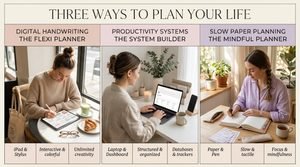
If you use a PDF planner in Goodnotes, look for layouts with readable text, convenient navigation, and enough writing space. If you prefer Notion, prioritize a clear dashboard and simple task organization.
Your planning system should reflect your life, not force you to follow someone else’s routine.
How to Create a Beautiful Digital Planner Without Overcomplicating It
The That Girl and minimalist planning aesthetics are popular because they combine attractive layouts with the idea of living more intentionally.
You can create a similar visual style without filling every page with decorations.
Start with a consistent color palette, such as cream, beige, soft pink, sage, or muted lavender.
Use clear headings, readable fonts, and consistent spacing.
Keep decorative elements subtle and make sure they do not compete with the information you need to see.
If you enjoy digital stickers, use them sparingly to highlight important dates or personalize your pages.
Most importantly, test your layouts during real planning sessions. A page might look beautiful in a preview but feel impractical when you try to write on it.
A well-designed planner balances aesthetics and usability.
Common Digital Planner Mistakes to Avoid in 2026
Even an attractive planner can become ineffective when it includes too many features or requires too much maintenance.
Avoid these common mistakes:
1. Adding too many pages immediately. Start with the sections you will use regularly.
2. Making the design too complicated. Use a consistent color palette and keep important information easy to find.
3. Setting unrealistic daily expectations. Choose priorities that fit your actual schedule.
4. Tracking too many habits. Begin with a few meaningful routines and expand gradually.
5. Duplicating information across multiple apps. Give each tool a clear purpose.
6. Ignoring weekly reviews. A short review helps you identify unfinished tasks and adjust your plans.
7. Giving up after missing a day. Resume your routine rather than restarting your entire planner.
8. Focusing only on productivity. Leave room for rest, creativity, relationships, and personal enjoyment.
Your digital planner should make your life easier, not become another source of pressure.

Frequently Asked Questions
1. What pages should every digital planner have?
The most useful digital planner pages include a daily planner, weekly planner, monthly calendar, goal-setting page, habit tracker, to-do list, self-care page, budget tracker, notes page, and weekly reflection page. Choose the sections that match your lifestyle and current priorities.
2. What is the best digital planner layout for beginners?
A simple dashboard, daily planner, weekly overview, to-do list, and notes page provide a strong starting point. Once you become comfortable using these pages, you can add goal tracking, budgeting, and other sections as needed.
3. How many pages should a digital planner have?
There is no ideal number of pages for everyone. A minimalist planner may work well with a handful of essential layouts, while someone managing several projects may need more sections. Focus on usefulness rather than page count.
4. Are digital planners worth it in 2026?
Digital planners can be useful if you want a flexible way to organize your schedule, track habits, manage tasks, and review goals. Their value depends on how well the system fits your needs and whether you use it consistently.
5. Can I use a digital planner on my iPad for free?
Yes. You can start with free planning apps, built-in productivity tools, or compatible free templates. Some applications and advanced features require payment, but you do not need to purchase an expensive planner to begin organizing your life.
6. Is Goodnotes or Notion better for digital planning?
Goodnotes is well suited to handwritten planning and PDF templates. Notion is useful for typed notes, linked pages, and customizable databases. Choose Goodnotes if you prefer writing directly on planner pages and Notion if you prefer a flexible digital dashboard.
7. What is a That Girl digital planner?
A That Girl digital planner is a planner designed around intentional routines, personal development, productivity, and lifestyle organization. It may include daily schedules, goal-setting pages, habit trackers, self-care routines, and reflection prompts. The aesthetic often features neutral colors, soft pink, beige, or lavender.
8. How can I make my digital planner look aesthetic?
Choose two or three main colors, use readable fonts, maintain consistent spacing, and avoid overcrowding your pages. Minimalist layouts often look polished because they prioritize clarity and white space.
9. Should I use a daily or weekly digital planner?
Both can be useful. A weekly planner helps you see your commitments and distribute tasks realistically, while a daily planner helps you focus on immediate priorities. Using both can work well as long as you avoid unnecessary duplication.
10. How do I stay consistent with digital planning?
Connect planning to an existing routine. Review your priorities each morning, update unfinished tasks in the evening, and spend a short period preparing for the next week. Keep the system simple enough that you can maintain it during busy periods.
11. Can digital planner pages help with personal growth?
Yes. Goal-setting pages, habit trackers, self-care sections, and weekly reflection prompts can help you clarify your priorities, monitor routines, and review progress. Their usefulness depends on realistic goals and thoughtful follow-through.
12. Where can I find digital planner templates for iPad?
You can explore the Artisan Anthology digital planner collection for digital planning options. Check the included pages, file format, customization options, and compatibility with your preferred planning app before choosing a template.
Final Thoughts: Build a Digital Planner That Works for Your Life
You do not need an enormous planner, an expensive setup, or a perfect daily routine to become more organized.
You need a system that helps you understand your priorities, manage your commitments, and make consistent progress toward the life you want to build.
Start with the ten essential pages in this guide, but remember that you can customize your planner at any time. Remove sections that create unnecessary work, add pages that solve real problems, and allow your system to evolve as your needs change.
Make it beautiful enough that you enjoy opening it, practical enough that you use it, and simple enough that it supports you even on your busiest days.
Because being organized is not about doing everything perfectly. It is about making intentional choices, one day at a time.
Ready to Upgrade Your Digital Planning Routine?
Explore the Artisan Anthology digital planner collection to discover planning options that can help you organize your daily schedule, track personal goals, build better habits, and create a more intentional lifestyle.
Find a design that suits your workflow, personalize it to your needs, and start building a planning routine that works for you.
Artisan Anthology LLC — Thoughtfully designed digital resources for your everyday life.
✨ About Artisan Anthology
At Artisan Anthology, we curate timeless digital creations designed to inspire and elevate every part of your lifestyle. Our collection includes brand books, digital templates, recipes, ebooks, wardrobe planners, fashion guides, printable wall art, and elegant home décor designs. We also specialize in wedding cards, invitations, baby shower cards, and engagement cards, each crafted to celebrate life’s most meaningful moments.
For professionals and dreamers alike, our CV templates, guided journals, and manifestation planners are created with intention to help you tell your story beautifully and authentically.
✨ Discover our full collection of digital products here → ArtisanAnthology.xyz