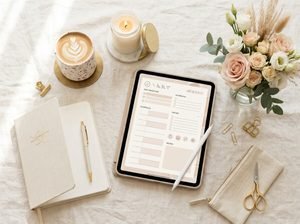

GoodNotes vs. Notion vs. paper planners—which one is actually best for becoming your most organized, productive, put-together “That Girl” self?
If you love aesthetic routines, morning resets, goal setting, habit tracking, journaling, time blocking, vision boards, and the feeling of having your life beautifully organized, your planner is more than just a place to write appointments.
It can become part of your lifestyle.
But there is one problem: which planning system should you actually use?
You have probably seen gorgeous digital planners on an iPad, perfectly organized Notion dashboards on Pinterest, and those beautiful paper planners filled with color-coded pens, stickers, and handwritten goals.
All three look amazing.
But they create very different planning experiences.
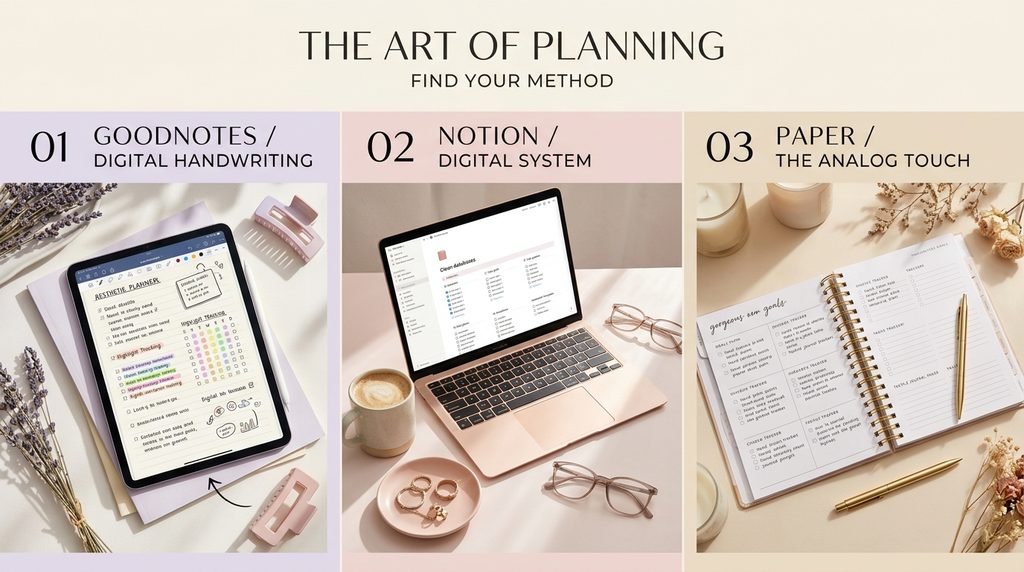
GoodNotes feels like a digital version of a beautiful notebook.
Notion feels like a personalized digital command center for your life.
Paper planners offer something completely different: the satisfying, distraction-free experience of physically writing your life down.
So, which one wins the “That Girl” aesthetic?
The answer depends on the kind of “That Girl” you are trying to become.

What Does the “That Girl” Aesthetic Actually Mean?
Before comparing the planners, let’s talk about what “That Girl” really means.
The aesthetic is often associated with clean spaces, productive mornings, healthy habits, skincare routines, Pilates, studying, career goals, journaling, self-care, organized schedules, and intentional living.
But there is a deeper idea underneath all of the pretty visuals.
Being “That Girl” isn’t about having the most expensive iPad, the prettiest planner, or a perfectly curated morning routine.
It’s about creating systems that help you consistently become the person you want to be.
Your planner should help you:
- Know what needs to be done
- Prioritize your goals
- Manage your time
- Track habits
- Plan your week
- Reflect on your progress
- Stay consistent
- Reduce mental clutter
- Make space for yourself
- Turn ideas into action
And that’s where the choice between GoodNotes, Notion, and paper becomes important.
GoodNotes vs. Notion vs. Paper Planners: The Quick Answer
If you want the answer before reading the full comparison, here’s the simple version:
Choose GoodNotes if you…
- Love handwriting but want digital convenience
- Use an iPad or tablet
- Want beautiful digital planner templates
- Enjoy decorating your planner
- Like writing, highlighting and drawing
- Want your planner and notebooks in one digital space
- Love the aesthetic of a digital journal
GoodNotes is particularly appealing if you want the look and feeling of handwriting without carrying a physical planner everywhere.
GoodNotes currently supports notebooks, templates, handwriting tools, text documents, whiteboards and other digital planning features. Its newer ecosystem also supports Apple devices, Android, Windows and Web, although specific features and synchronization depend on the plan and platform.
Choose Notion if you…
- Want to organize your entire life digitally
- Love databases and dashboards
- Want goals, tasks and projects connected
- Prefer typing over handwriting
- Want maximum customization
- Like minimalist digital aesthetics
- Want one workspace for personal and professional organization
Notion is less like a traditional planner and more like a personal operating system.
Its current feature set includes databases, docs, calendars, dashboards, tasks, forms, collaboration and customizable workspaces.
Choose a paper planner if you…
- Love physically writing things down
- Want fewer digital distractions
- Enjoy stationery
- Like stickers, pens and handwritten notes
- Prefer simplicity
- Want something you can use without charging
- Find handwriting calming and motivating
Paper planners win when the experience of planning matters just as much as the organization itself.

1. GoodNotes: The Digital “That Girl” Planner
Imagine opening your iPad in the morning, grabbing your Apple Pencil and opening a beautiful pastel planner.
Your schedule is already designed.
Your weekly spread is ready.
There are sections for your priorities, habits, goals, meals, workouts, gratitude and notes.
You simply start writing.
That is where GoodNotes shines.
Why GoodNotes Feels So Aesthetic
GoodNotes combines the visual appeal of digital design with the familiarity of handwriting.
You can write directly onto digital pages, annotate documents, organize notebooks and use templates. GoodNotes also emphasizes a stylus-first experience, allowing handwriting to remain a central part of the workflow.
This makes it especially attractive for people who want:
Pinterest aesthetic + handwriting + digital convenience.
You can create sections such as:
My Daily Routine
☐ Wake up
☐ Drink water
☐ Skincare
☐ Exercise
☐ Read
☐ Work/study
☐ Journal
☐ Plan tomorrow
My Monthly Goals
Personal:
Become more consistent.
Career:
Complete my current project.
Health:
Move my body regularly.
Mindset:
Spend less time comparing myself to others.
Suddenly, your planner becomes more than a calendar.
It becomes a visual representation of your goals.
The Biggest Advantage of GoodNotes
The biggest advantage is the balance between structure and creativity.
You don’t need to build everything from scratch.
You can start with a professionally designed planner and personalize it.
You can write.
Draw.
Highlight.
Add stickers.
Annotate.
Move elements around.
And make the planner feel like yours.
GoodNotes also supports digital planners with hyperlinks and offline functionality across supported platforms, making it practical for people who don’t want their planning experience to depend entirely on an internet connection.
GoodNotes is best for:
The aesthetic planner girl.
If your dream planning session involves an iPad, Apple Pencil, iced coffee and a beautiful digital planner, GoodNotes is probably your strongest match.
2. Notion: The “I Have My Entire Life Together” System
Now let’s move to Notion.
Notion is a completely different experience.
Instead of opening a digital notebook that looks like paper, you’re opening a flexible digital workspace.
You can create pages for:
- Goals
- Daily tasks
- Monthly planning
- Content calendars
- Finances
- Habits
- Books
- Courses
- Career planning
- Travel
- Personal projects
- Journaling
- Meal planning
And you can connect these systems together.
That is what makes Notion so powerful.

Why Notion Is Perfect for the Organized “That Girl”
Let’s say your goal is to become more productive.
You could create a 2027 Goals Dashboard.
Inside it, you might have:
Life Goals
Career
- Build portfolio
- Apply for opportunities
- Learn a new skill
Health
- Create consistent workouts
- Improve sleep routine
- Meal prep
Personal
- Read 12 books
- Journal regularly
- Practice self-care
Then you can connect those goals to smaller tasks.
Instead of simply writing:
“Get healthier.”
You create actionable steps.
That makes your goals feel less overwhelming.
Notion’s database system is particularly useful for this type of organization because information can be filtered, categorized and viewed in different ways. Its current tools also include calendar functionality and task/project organization.
The Biggest Advantage of Notion
Customization.
If you’re the kind of person who looks at a planner and immediately thinks:
“I wish I could change this.”
Notion may be your dream.
You can build your own structure.
Minimalist?
Create a clean black-and-white dashboard.
Soft girl?
Use pastel colors.
Luxury aesthetic?
Use neutral tones and elegant typography.
That Girl?
Create a complete Life OS.
The downside?
Notion can become a project in itself.
You may spend three hours designing your productivity dashboard instead of actually being productive.
And yes—we’ve all been there.
3. Paper Planners: The Original That Girl Classic
Before digital planners and productivity dashboards, there was paper.
And honestly?
Paper still has something digital tools can’t perfectly reproduce.
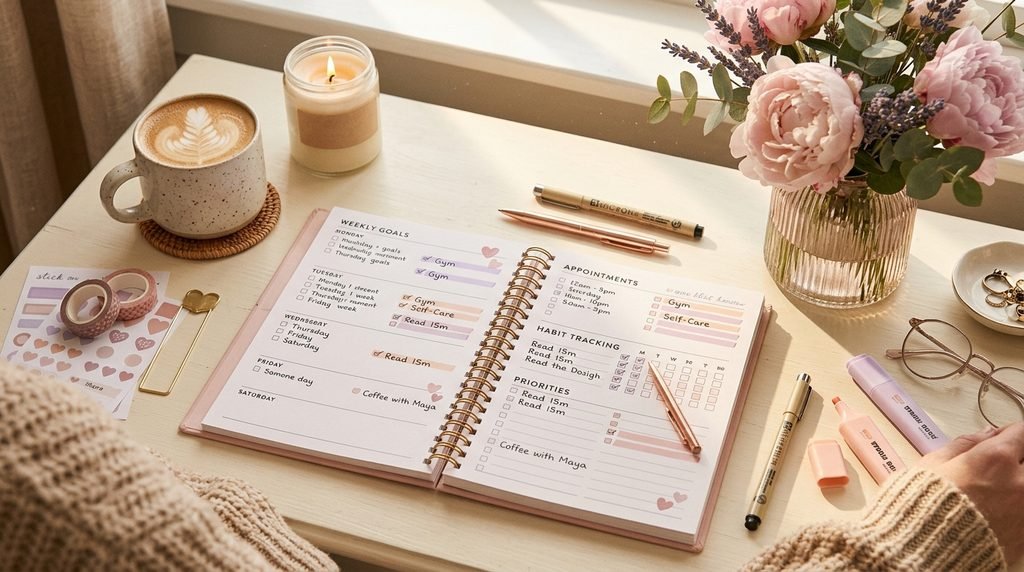
The feeling of physically writing your goals down.
Turning a page.
Crossing something off.
Using your favorite pen.
Decorating your weekly spread.
Sitting down without notifications.
There is something wonderfully intentional about it.
Why Paper Planning Still Works
Paper planners are extremely simple.
There are no settings.
No updates.
No notifications.
No battery.
No app to learn.
You open the planner and write.
For some people, that simplicity is exactly what makes paper so effective.
If your phone is constantly distracting you, using a paper planner can create a physical boundary between planning your life and consuming content.
And that’s incredibly valuable.
GoodNotes vs. Notion vs. Paper: The Real Comparison
| Feature | GoodNotes | Notion | Paper Planner |
|---|---|---|---|
| Handwriting | ⭐⭐⭐⭐⭐ | ⭐⭐ | ⭐⭐⭐⭐⭐ |
| Customization | ⭐⭐⭐⭐ | ⭐⭐⭐⭐⭐ | ⭐⭐⭐ |
| Digital convenience | ⭐⭐⭐⭐⭐ | ⭐⭐⭐⭐⭐ | ⭐ |
| Aesthetic potential | ⭐⭐⭐⭐⭐ | ⭐⭐⭐⭐⭐ | ⭐⭐⭐⭐⭐ |
| Goal tracking | ⭐⭐⭐⭐ | ⭐⭐⭐⭐⭐ | ⭐⭐⭐⭐ |
| Habit tracking | ⭐⭐⭐⭐⭐ | ⭐⭐⭐⭐⭐ | ⭐⭐⭐⭐ |
| Creativity | ⭐⭐⭐⭐⭐ | ⭐⭐⭐⭐ | ⭐⭐⭐⭐⭐ |
| Distraction-free | ⭐⭐⭐ | ⭐⭐⭐ | ⭐⭐⭐⭐⭐ |
| Organization | ⭐⭐⭐⭐ | ⭐⭐⭐⭐⭐ | ⭐⭐⭐ |
| Portability | ⭐⭐⭐⭐⭐ | ⭐⭐⭐⭐⭐ | ⭐⭐⭐⭐ |
| Best for handwriting | Yes | Not primarily | Yes |
| Best for databases | No | Yes | No |
| Best for offline simplicity | Good | Depends on setup | Excellent |
The ratings above are a practical comparison rather than an official scoring system.
Which Is Best for the “That Girl” Aesthetic?
Here’s where things get interesting.
There isn’t one universal winner.
Instead, there are three different versions of “That Girl.”
The Digital Aesthetic Girl → GoodNotes
You love:
✨ Digital stickers
✨ Pastel templates
✨ Handwritten notes
✨ iPad planning
✨ Digital journaling
✨ Beautiful layouts
GoodNotes wins.
It gives you the visual experience of a planner without the physical bulk.
The Productivity Girl → Notion
You love:
✨ Dashboards
✨ Goal systems
✨ Databases
✨ Time management
✨ Project management
✨ Tracking everything
Notion wins.
It is especially powerful when your definition of “organized” means having interconnected systems rather than simply having a pretty weekly spread.
The Slow-Living Girl → Paper
You love:
✨ Journaling
✨ Pens
✨ Stickers
✨ Quiet mornings
✨ Minimal screen time
✨ Writing by hand
Paper wins.
It makes planning feel like a ritual instead of another digital task.
What If You Want All Three?
Here’s a secret:
You don’t have to choose just one.
You can combine them.
And for many people, that’s actually the most effective approach.
For example:
Use Notion for your big-picture life.
Keep:
- Long-term goals
- Projects
- Content plans
- Important databases
- Career planning
- Big-picture systems
Use GoodNotes for your daily life.
Keep:
- Daily planner
- Digital journal
- Gratitude
- Brain dumps
- Weekly planning
- Creative notes
Use paper for intentional reflection.
Keep:
- Morning journaling
- Gratitude
- Personal reflections
- Brain dumping
- Vision writing
This creates a system where each tool has a purpose.
Instead of asking:
“Which planner is best?”
Ask:
“Which planning tool is best for this specific part of my life?”
That’s a much better question.
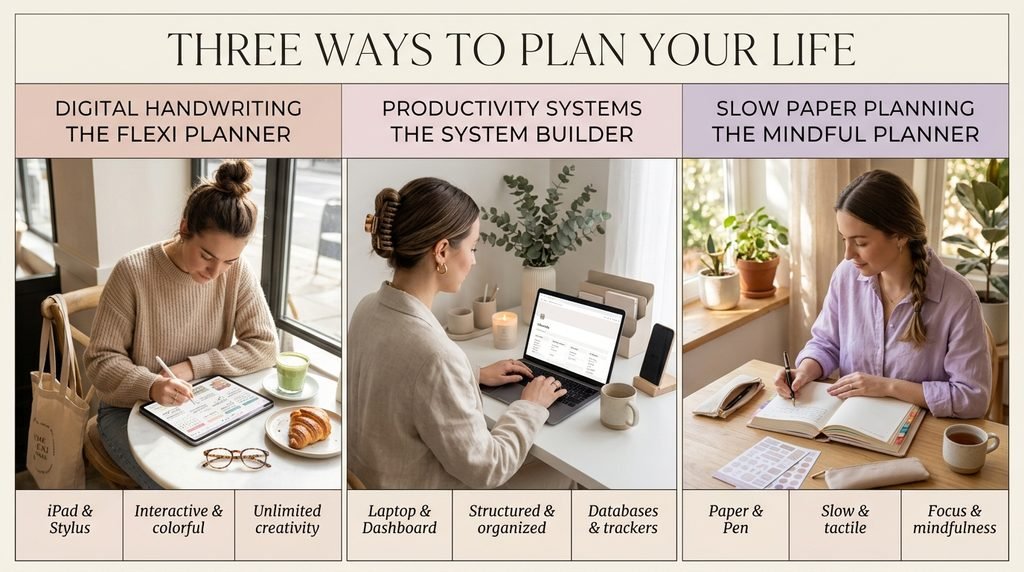
The “That Girl” Planning System That Actually Makes Sense
If you want to create a beautiful but practical planning routine, try this:
Step 1: Plan Your Big Picture
At the beginning of the month, define:
What do I want?
Then choose 3–5 priorities.
Don’t create 37 goals.
Choose the things that actually matter.
Step 2: Break Your Goals Into Actions
For example:
Goal: Become more organized.
Instead of leaving it as a vague goal, create:
- Plan tomorrow every night
- Declutter workspace
- Create weekly priorities
- Track important deadlines
- Review progress every Sunday
Now your goal has a pathway.
Step 3: Plan Your Week
Every Sunday, ask yourself:
What are my three most important priorities this week?
Then schedule them.
Don’t fill every minute.
Leave room for real life.
Step 4: Create Your Daily “That Girl” Reset
Every morning, write:
Today’s Top 3
My Focus
One Thing for Myself
Tonight I Want to Feel…
This takes only a few minutes.
But it can completely change how intentionally you approach your day.
Step 5: Do a Sunday Reset
The aesthetic isn’t the point.
The reset is.
Every Sunday:
- Review the previous week
- Celebrate what you completed
- Move unfinished tasks
- Check your goals
- Plan your upcoming week
- Clean your workspace
- Prepare your planner
This creates a rhythm.
And consistency is much more powerful than perfection.
So… Which One Should You Buy?
Here’s my honest recommendation.
Choose GoodNotes if your priority is:
Beauty + handwriting + digital planning.
Choose Notion if your priority is:
Systems + organization + productivity.
Choose paper if your priority is:
Focus + simplicity + mindful planning.
And if you’re still unsure?
Start with the format you’ll actually enjoy opening every day.
Because the most beautiful planner in the world won’t help if you never use it.
The Best Planner Is the One You Actually Use
This is the part people often overlook.
We can become obsessed with finding the perfect productivity system.
The perfect app.
The perfect template.
The perfect planner.
The perfect aesthetic.
But eventually, productivity comes down to one thing:
Showing up.
A simple planner that you use consistently is more valuable than an elaborate system that you abandon after five days.
Your planner should make your life easier—not make you feel like you have another assignment.
So choose the system that feels natural.
If you love handwriting, choose GoodNotes or paper.
If you love systems, choose Notion.
If you love both?
Use both.
There are no planner police.
How to Make Any Planner Look More “That Girl”
Regardless of which system you choose, you can create a consistent aesthetic.
Try using:
A Soft Color Palette
Think:
- Cream
- Beige
- Soft pink
- Lavender
- Warm white
- Muted brown
Consistent Typography
Choose two or three fonts and stick with them.
Minimal Layouts
Don’t overcrowd every page.
White space makes your planner feel cleaner.
Intentional Sections
Instead of adding endless trackers, include the ones you genuinely use.
Personal Affirmations
Add small reminders such as:
“I don’t need to do everything today.”
“Small steps still count.”
“My future self will thank me.”
Because a planner shouldn’t just organize your tasks.
It should remind you why you’re doing them.
Frequently Asked Questions
Is GoodNotes better than Notion for digital planning?
It depends on how you like to plan. GoodNotes is generally a stronger choice if you enjoy handwriting, annotating and using planner templates. Notion is stronger for databases, connected systems, projects, tasks and highly customizable digital organization. GoodNotes itself describes its experience as stylus-first, while Notion emphasizes flexible docs, databases, calendars and connected workspaces.
Is Notion good for a “That Girl” aesthetic?
Absolutely. Notion can be customized into a minimalist, feminine, luxury, pastel or completely personalized productivity dashboard. Its strength is that you can design the system around your lifestyle rather than adapting your lifestyle to a fixed planner.
Is GoodNotes good for digital planners?
Yes. GoodNotes supports digital notebooks and templates, and digital planners can take advantage of handwriting, annotations, hyperlinks and organizational features. Feature availability can vary by plan and platform.
Are paper planners better than digital planners?
Not necessarily. Paper planners are excellent for people who enjoy handwriting and want a distraction-free experience. Digital planners are often better for portability, customization, editing and storing large amounts of information.
Can I use GoodNotes and Notion together?
Yes. They can complement each other beautifully. For example, you can use Notion for long-term goals, projects and databases while using GoodNotes for daily planning, handwritten journaling and creative notes.
What is the best planner for productivity?
The best planner is the one that matches your planning style and that you can use consistently. Notion is particularly powerful for complex systems, GoodNotes is excellent for visual and handwritten digital planning, and paper planners are ideal for simple, tactile planning.
What is the best digital planner for the “That Girl” aesthetic?
For someone who wants the traditional planner experience with a digital aesthetic, GoodNotes is one of the strongest choices. A beautifully designed digital planner can give you the combination of handwriting, organization and visual inspiration.
Should I use a planner every day?
You don’t have to. Some people prefer daily planning, while others plan weekly and review their goals monthly. Start with a simple system that takes only a few minutes and increase it only if it genuinely helps.
How do I start a “That Girl” planner routine?
Start with three things: your top three priorities, your schedule and one personal goal. Then add habit tracking, gratitude, journaling or other sections only when you know you’ll actually use them.
Final Verdict: GoodNotes vs. Notion vs. Paper
So, which one wins?
GoodNotes wins for the aesthetic digital planner lover.
Notion wins for the productivity and organization lover.
Paper wins for the minimalist, tactile and distraction-free planner lover.
But here’s the real answer:
The best “That Girl” planner isn’t the prettiest one.
It’s the one that helps you become your version of That Girl.
The woman who keeps promises to herself.
The woman who knows what she’s working toward.
The woman who can slow down when she needs to.
The woman who doesn’t need a perfect day to make progress.
Your planner is simply the tool.
You are the system.
Ready to Plan Your Dream Life?
Whether you love digital planning, journaling, goal setting, habit tracking or creating a beautiful daily routine, the right planner can make your goals feel more tangible.
If you love the aesthetic of digital planning but still want structure, explore the digital planners and journals from Artisan Anthology and find a design that fits the life you’re building.
Plan your days. Organize your goals. Track your growth. Create your dream life—one page at a time.
Explore Artisan Anthology’s digital planners → Artisan Anthology
Artisan Anthology LLC
✨ About Artisan Anthology
At Artisan Anthology, we curate timeless digital creations designed to inspire and elevate every part of your lifestyle. Our collection includes brand books, digital templates, recipes, ebooks, wardrobe planners, fashion guides, printable wall art, and elegant home décor designs. We also specialize in wedding cards, invitations, baby shower cards, and engagement cards, each crafted to celebrate life’s most meaningful moments.
For professionals and dreamers alike, our CV templates, guided journals, and manifestation planners are created with intention to help you tell your story beautifully and authentically.
✨ Discover our full collection of digital products here → ArtisanAnthology.xyz