Ever have one of those days where you are technically busy all day but somehow finish it wondering, “What did I actually accomplish?”
You answered messages.
Checked notifications.
Jumped between tasks.
Opened five tabs.
Started one project.
Got distracted.
Checked your phone.
Then suddenly it’s evening—and the important work is still waiting.
If that sounds familiar, you don’t necessarily need more motivation.
You may simply need a better way to organize your attention.
That’s where time blocking comes in.
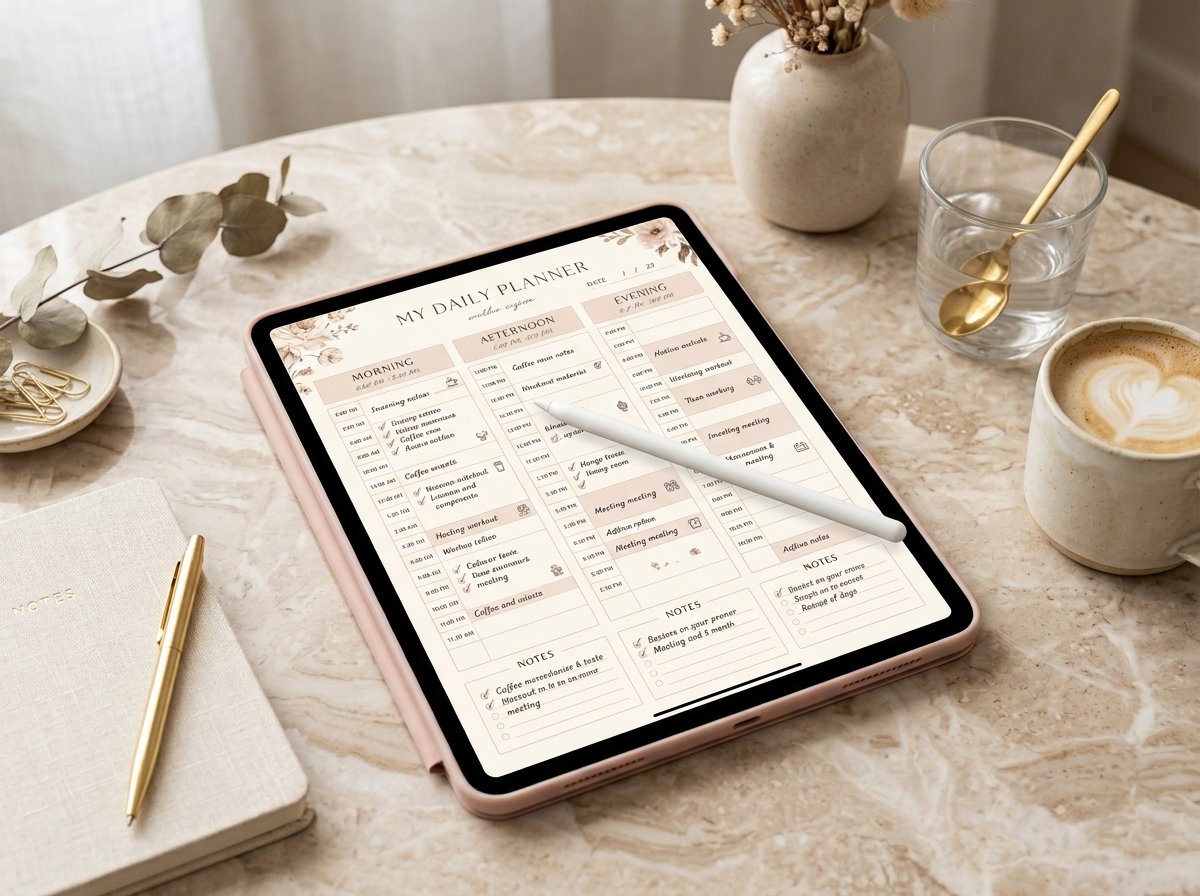
And when you combine time blocking with an iPad and a well-designed digital planner, planning your day can become much more visual, flexible, and intentional.
Instead of creating an endless to-do list, you assign your most important tasks a specific place in your day.
The result?
A workday with fewer random decisions, clearer priorities, intentional breaks, and more opportunities to enter a focused flow state.
This guide will show you exactly how to use time blocking on iPad to create a productive workday—and how to incorporate the aesthetic, organized mindset of the That Girl lifestyle without turning productivity into perfectionism.
What Is Time Blocking?
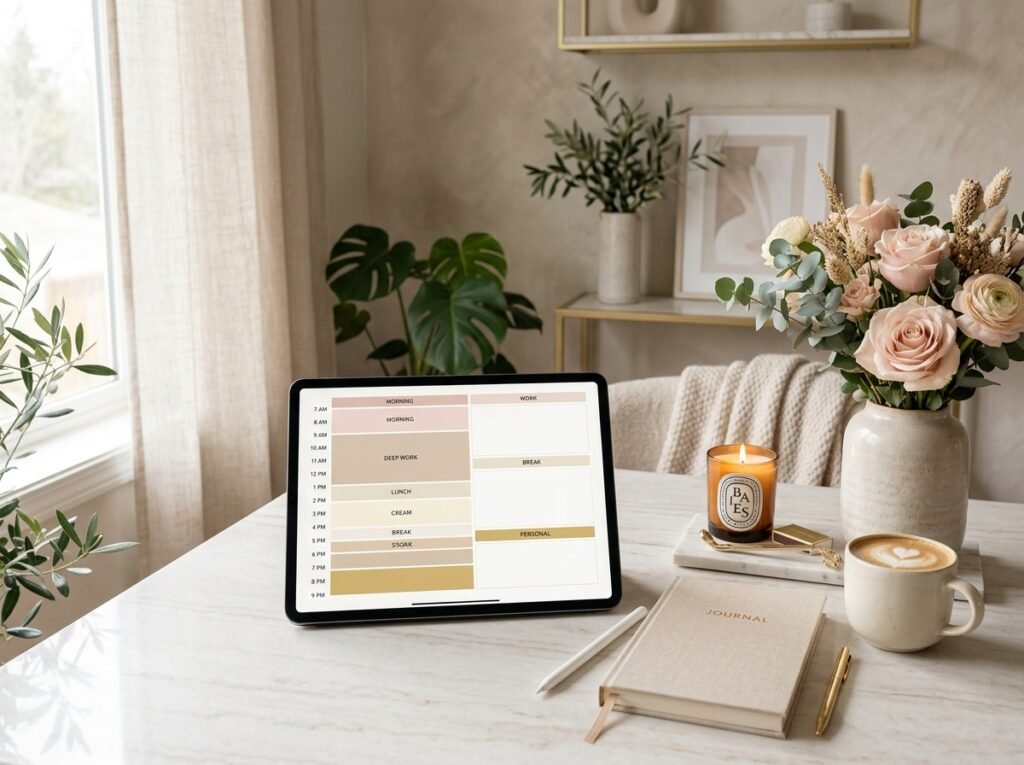
Time blocking is a productivity method where you divide your day into specific blocks of time and assign a particular activity or type of work to each block.
Instead of writing:
- Write blog
- Answer emails
- Make Pinterest pins
- Work on Etsy
- Exercise
- Plan tomorrow
you create something more specific:
9:00–10:30 AM — Deep Work
10:30–11:00 AM — Email
11:00 AM–12:30 PM — Content Creation
2:00–3:30 PM — Creative Work
4:00–4:30 PM — Admin
Now your tasks have a home.
That small change can make your day feel dramatically less chaotic.
What Is a Flow-State Workday?
A flow state is commonly described as a period of intense concentration where you become deeply absorbed in what you’re doing.
You stop constantly checking the clock.
Distractions become less interesting.
The task feels immersive.
Time seems to pass quickly.
The challenge is that flow is difficult to achieve when your attention is constantly interrupted.
Every notification, unnecessary meeting, random email, and context switch can pull you away from focused work.
That’s why effective time blocking isn’t simply about filling every minute.
It’s about protecting your attention.
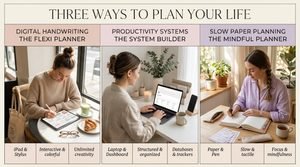
Why Use an iPad for Time Blocking?
An iPad can be especially useful for digital planning because it combines the visual organization of a planner with the flexibility of digital tools.
Depending on your setup and planner app, you can use your iPad to:
- Plan your day
- Create time blocks
- Write with a stylus
- Move tasks around
- Track habits
- Review goals
- Use digital stickers
- Access calendars
- Create weekly schedules
- Keep notes
- Build reusable planning templates
Instead of carrying multiple notebooks, you can create one centralized productivity system.
And let’s be honest—when your planner looks beautiful, opening it can feel much more inviting.
The Biggest Time-Blocking Mistake
Here’s something important:
Don’t schedule every minute of your day.
A perfectly packed schedule looks productive on paper but often collapses in real life.
Unexpected messages happen.
Meetings run late.
Tasks take longer than expected.
You need lunch.
You need a break.
You simply have a low-energy afternoon.
Instead of scheduling 100% of your available time, leave buffer space between important blocks.
For example:
8:00–9:00 Morning routine
9:00–10:30 Deep work
10:30–11:00 Buffer + break
11:00–12:00 Admin
12:00–1:00 Lunch
1:00–2:30 Creative work
2:30–3:00 Buffer
3:00–4:00 Meetings
4:00–4:30 Daily review
This gives your schedule room to breathe.

Step 1: Start With Your Big Three
Before opening your digital planner, choose the three most important outcomes for the day.
Ask:
“If I accomplish only three meaningful things today, what should they be?”
For example:
- Finish blog article
- Create 10 Pinterest graphics
- Update digital planner listing
These become your priorities.
Everything else is secondary.
This prevents your schedule from being controlled by tiny tasks.
Step 2: Identify Your Peak Focus Hours
Not every hour of the day has equal energy.
Some people feel focused in the morning.
Others work better in the afternoon or evening.
Pay attention to your natural rhythm.
If you’re most focused between 9 AM and noon, protect that time for your hardest work.
Don’t waste your best concentration on:
- Notifications
- Simple admin
- Social media
- Unimportant meetings
Use your strongest hours for your most important work.
Step 3: Create Your Ideal Time Blocks
Now build your basic workday.
A sample schedule might look like:
7:00–8:00 AM
Morning routine
8:00–8:30 AM
Planning + breakfast
8:30–10:30 AM
Deep work
10:30–11:00 AM
Break
11:00 AM–12:00 PM
Communication + email
12:00–1:00 PM
Lunch
1:00–2:30 PM
Creative work
2:30–3:00 PM
Break
3:00–4:00 PM
Administrative tasks
4:00–4:30 PM
Planning + review
4:30 PM onward
Personal time / exercise / errands
Notice that this isn’t an eight-hour marathon of uninterrupted work.
That’s intentional.
Step 4: Group Similar Tasks Together
This is one of the easiest ways to make time blocking more efficient.
Instead of constantly switching between completely different tasks, batch similar activities.
For example:
Content Block
- Write captions
- Create Pinterest descriptions
- Draft blog ideas
Communication Block
- Emails
- Customer messages
- Business inquiries
Creative Block
- Canva designs
- Digital planner pages
- Pinterest graphics
Admin Block
- File organization
- Analytics
- Product updates
Task batching reduces unnecessary context switching.
Step 5: Protect Your Deep-Work Block
Your deep-work block should be treated like an appointment.
If your schedule says:
9:00–11:00 AM — Blog Writing
then that block isn’t for checking Instagram.
It isn’t for reorganizing your desktop.
It isn’t for answering every notification.
It’s for writing.
Before starting:
- Put your phone away
- Close irrelevant tabs
- Turn off unnecessary notifications
- Open only the tools you need
- Keep water nearby
- Set a clear objective
Then begin.
Step 6: Use Your iPad as Your Command Center
Your iPad can become the central dashboard for your workday.
Create a simple planner structure containing:
Today
Your current schedule.
Priorities
Your Big Three.
Tasks
Everything else that needs attention.
Habits
Your daily habits.
Notes
Ideas and reminders.
Goals
Your bigger objectives.
This prevents you from constantly searching through different apps and notebooks.

Step 7: Design Your Digital Planner Around Your Brain
Your planner doesn’t have to look like everyone else’s.
If visual organization helps you, use color coding.
For example:
Deep Work: one color
Meetings: another
Personal: another
Health: another
Admin: another
Keep your system simple enough that you can understand your schedule within seconds.
The purpose of aesthetics is to support usability—not overwhelm it.
Step 8: Create a “Focus Mode” Routine
Your brain can learn associations.
If you repeatedly create the same environment before deep work, that routine can become a useful cue that it’s time to focus.
Your focus routine could be:
- Open your digital planner.
- Check the current time block.
- Put your phone away.
- Start a timer.
- Open only the required project.
- Begin with one clearly defined task.
You don’t need a complicated ritual.
You need consistency.
Step 9: Give Every Task a Home
A common productivity problem is keeping tasks in your head.
Instead, decide where they belong.
For example:
Today
Urgent and important.
This Week
Important but not necessarily today.
Later
Tasks that can wait.
Ideas
Things you don’t want to forget.
This keeps your daily schedule from becoming overloaded.
Step 10: Build Breaks Into Your Schedule
Breaks aren’t a sign of poor productivity.
They’re part of a sustainable workday.
After an intense focus block, step away.
Try:
- Walking
- Stretching
- Drinking water
- Looking away from your screen
- Getting fresh air
- Having a snack
- Taking a few quiet minutes
Then return to your next block.
The “That Girl” Time-Blocking Routine
Want to combine productivity with your That Girl aesthetic?
Try this structure:
Morning
Wake + Reset
Make your bed.
Hydrate.
Get ready.
Plan your day.
Focus Block
Work on your highest-priority project.
Midday Reset
Lunch.
Walk.
Stretch.
Take a real break.
Afternoon Creation
Work on creative or strategic projects.
Evening Reset
Review your day.
Tidy your workspace.
Plan tomorrow.
Prepare your environment.
Night
Disconnect.
Relax.
Read.
Sleep.
The key is balance.
You are not a productivity machine.
Example: Time Blocking for a Digital Product Creator
If you’re working on digital products, your day could look like this:
8:00–8:30
Daily planning
8:30–10:30
Design new digital planner pages
10:30–11:00
Break
11:00–12:00
Write product descriptions
12:00–1:00
Lunch
1:00–2:00
Create Pinterest graphics
2:00–2:30
Break
2:30–3:30
SEO and keyword research
3:30–4:00
Customer/admin tasks
4:00–4:30
Review analytics and plan tomorrow
This type of structure separates creative work from administrative work.
How to Handle Unexpected Tasks
Your schedule will never be perfect.
That’s normal.
When something unexpected appears, ask:
Does this need to happen now?
If yes, adjust your current block.
If no, add it to your task list for later.
Don’t immediately sacrifice your entire schedule for every new request.
Your time needs boundaries.
What to Do When You Fall Behind
This happens to everyone.
Maybe a task that was supposed to take one hour takes three.
Don’t panic.
Use the reset method.
1. Stop
Pause before randomly moving tasks around.
2. Review
Look at what’s left.
3. Prioritize
Choose what truly matters.
4. Reschedule
Move nonessential tasks.
5. Continue
Start your next block.
A disrupted schedule isn’t a failed schedule.
Create a Daily Shutdown Routine
One of the most underrated productivity habits is ending your workday intentionally.
Spend 10–15 minutes reviewing:
What did I finish?
What remains unfinished?
What is tomorrow’s top priority?
Are there any important deadlines?
What should I prepare tonight?
Then close your planner.
Your workday is over.
This mental boundary can make it easier to transition into personal time.
Your 15-Minute Evening Planning Ritual
Before bed:
Minute 1–3
Review today’s accomplishments.
Minute 4–6
Move unfinished tasks.
Minute 7–9
Choose tomorrow’s Big Three.
Minute 10–12
Create tomorrow’s time blocks.
Minute 13–15
Write one thing you’re grateful for.
Close the iPad.
You’re done.
Tomorrow already has a plan.
How to Create a Flow-Friendly Digital Planner
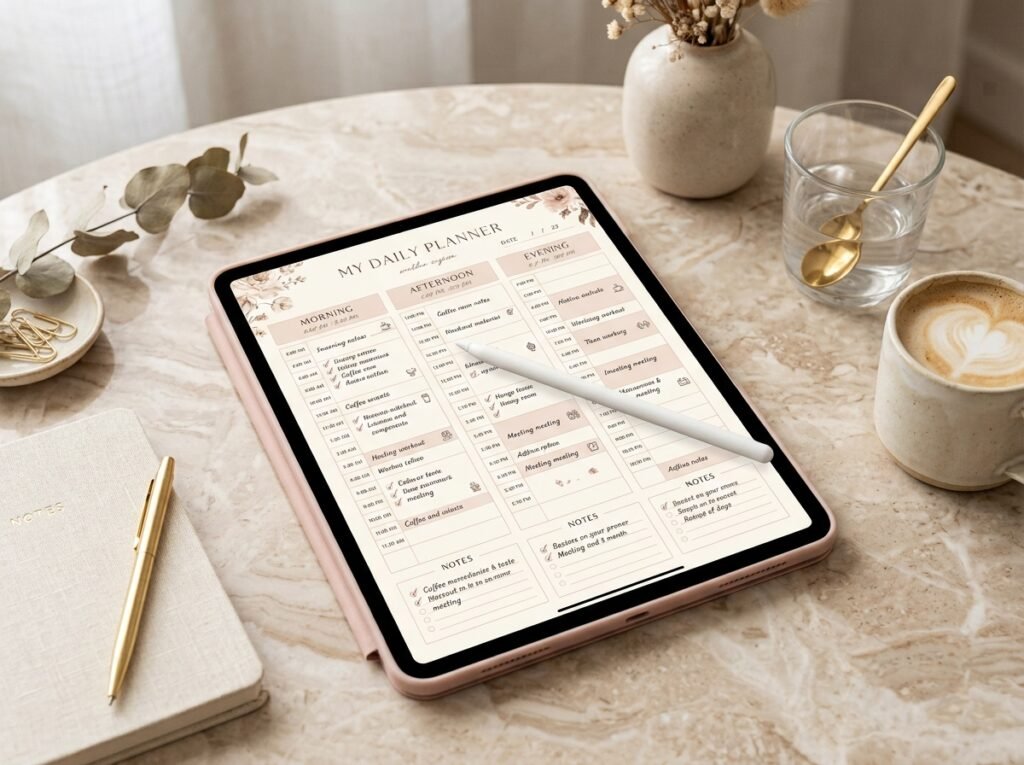
If you’re designing or using a That Girl digital planner, consider including these pages:
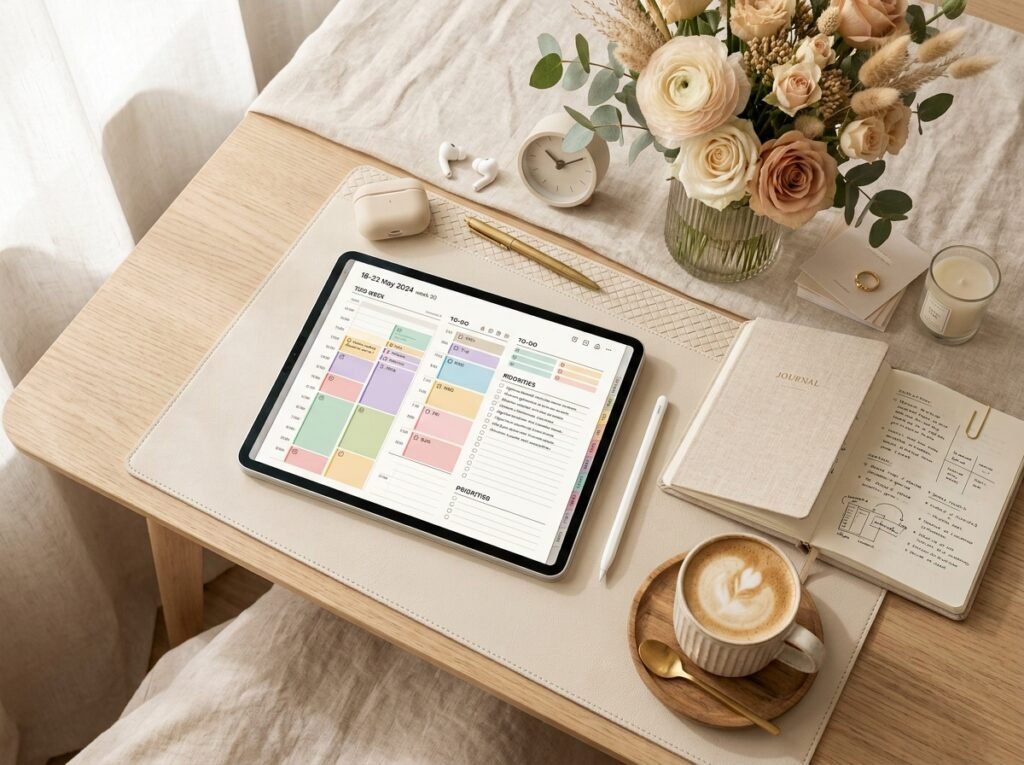
Daily Time-Blocking Page
Include hourly time slots.
Weekly Dashboard
Give yourself a bird’s-eye view.
Monthly Calendar
Use this for deadlines and important dates.
Habit Tracker
Track consistency.
Goal Dashboard
Connect daily actions with long-term goals.
Brain Dump
Give random thoughts somewhere to go.
Weekly Reflection
Ask:
- What worked?
- What didn’t?
- What should I change?
Daily Gratitude
End your planning experience positively.
The Perfect Time-Blocking Formula
If you want a simple system, remember:
Priorities + Time Blocks + Focus + Breaks + Review = Better Workdays
You don’t need a complicated productivity framework.
Start with:
3 priorities
2–4 major focus blocks
Intentional breaks
1 daily review
That’s enough to create a powerful foundation.
Common Time-Blocking Mistakes to Avoid
Mistake #1: Overplanning
A planner full of tasks isn’t necessarily productive.
Mistake #2: No Buffer Time
Leave space for real life.
Mistake #3: Ignoring Energy
Schedule difficult work when you’re naturally focused.
Mistake #4: Constant Notifications
Protect your attention.
Mistake #5: Too Many Priorities
If everything is urgent, nothing is prioritized.
Mistake #6: Never Reviewing
Your schedule should evolve.
Mistake #7: Making Productivity Your Personality
Your worth isn’t determined by how much you accomplish.
How to Make Time Blocking Aesthetic Without Making It Complicated
This is where the That Girl aesthetic can make planning enjoyable.
Try:
- Neutral color palettes
- Minimal digital stickers
- Elegant typography
- Simple icons
- Motivational quotes
- Clean layouts
- Subtle color coding
- Inspirational images
But remember:
Function first. Aesthetic second.
Your planner should make your day clearer, not harder to navigate.
FAQ: Time Blocking on iPad
What is the best way to time block on an iPad?
Start with a digital planner that provides daily or hourly scheduling space. Identify your priorities, assign them specific time blocks, include breaks, and review the schedule at the end of the day.
Is time blocking better than a to-do list?
They solve slightly different problems. A to-do list shows what needs to happen, while time blocking gives those tasks a place in your day. Combining both can create a more structured workflow.
Can I use time blocking if my schedule changes frequently?
Yes. Build flexible blocks and leave buffer time. Avoid creating a schedule that depends on every task happening at exactly the planned minute.
How long should a deep-work time block be?
There isn’t one universally correct duration. Experiment with blocks that match your attention span and type of work. Many people find longer uninterrupted blocks useful for demanding tasks.
Should I schedule breaks?
Yes. Planned breaks help prevent your schedule from becoming an unrealistic sequence of nonstop tasks.
How many tasks should I schedule in one day?
Focus on a small number of meaningful priorities. Your exact number should depend on task complexity, available hours, and your responsibilities.
Can I use an Apple Pencil for digital time blocking?
If your iPad and chosen planner app support handwriting with Apple Pencil, you can use it to write directly into compatible digital planner pages.
How can I use time blocking for a That Girl routine?
Combine productivity blocks with wellness, self-care, movement, meals, personal time and an evening reset. The goal is a balanced lifestyle rather than nonstop work.
What if I don’t finish a task during its time block?
Don’t automatically abandon your entire schedule. Decide whether the task deserves another block, should be shortened, delegated, or moved to another day.
How do I get into a flow state faster?
Reduce distractions, define one clear objective, prepare your workspace, silence unnecessary notifications and give yourself a meaningful uninterrupted block of time.
Start Your Flow-State Workday With a That Girl Digital Planner
A productive day shouldn’t feel like a battle against your own schedule.
It should feel intentional.
You should know what matters.
You should know when you’re working.
You should know when you’re resting.
And you should know when the workday is finished.
That’s exactly why a well-designed That Girl digital planner can become more than an aesthetic planning tool.
It can become your daily command center.
Use it to:
✨ Time block your workday
✨ Plan your top priorities
✨ Track habits
✨ Schedule self-care
✨ Organize weekly goals
✨ Build morning and evening routines
✨ Create focused work sessions
✨ Review your progress
✨ Design a lifestyle around your priorities
Ready to stop reacting to your day and start designing it?
Get your That Girl Digital Planner and create your flow-state workday today.
Open your planner.
Choose your Big Three.
Create your first focus block.
Put your phone away.
And begin.
Plan with intention. Focus deeply. Live beautifully.
Final Thoughts: Your Time Is Worth Protecting
Time blocking isn’t about squeezing more work into every available minute.
It’s about deciding what deserves your attention.
Your day doesn’t need to be perfectly aesthetic.
Your planner doesn’t need to be filled with colorful stickers.
And your schedule doesn’t need to go exactly according to plan.
What matters is having a system that brings you back to what matters.
Some days will be incredibly productive.
Some days won’t.
That’s life.
The goal is not to control every minute.
The goal is to stop letting every minute control you.
So open your iPad.
Plan your priorities.
Create space for deep work.
Schedule your breaks.
Protect your attention.
And build a workday that supports both your ambitions and your wellbeing.
Because being “That Girl” isn’t about doing more.
It’s about becoming intentional about what you choose to do.
✨ About Artisan Anthology
At Artisan Anthology, we curate timeless digital creations designed to inspire and elevate every part of your lifestyle. Our collection includes brand books, digital templates, recipes, ebooks, wardrobe planners, fashion guides, printable wall art, and elegant home décor designs. We also specialize in wedding cards, invitations, baby shower cards, and engagement cards, each crafted to celebrate life’s most meaningful moments.
For professionals and dreamers alike, our CV templates, guided journals, and manifestation planners are created with intention to help you tell your story beautifully and authentically.
✨ Discover our full collection of digital products here → ArtisanAnthology.xyz